One finished image. All the pieces you need, without the busywork.
INPUT
JPG, PNG, WebP, GIF, AVIF & SVG
LAYOUT
Preset grids & custom rows × columns
EXPORT
PNG, JPG, WebP · individual tiles or ZIP
PRIVACY
On your device. Your original stays untouched.
FROM ONE IMAGE TO MANY
How to split your photo online
A few simple steps. A perfectly planned split.
01
Choose or paste your photo
Drop an image into the editor, select a file, or paste a copied image. Your file stays on your device.
02
Choose a photo splitter grid layout
Pick a preset such as 3 × 3, use custom rows and columns, or switch to a social media layout.
03
Download your split image tiles
Check the cut lines, choose your format, and save individual tiles or the complete set in a ZIP file.
MADE FOR THE WAY YOU CREATE
From a quiet still life to a wall-sized print. Find the right cut for your next idea.
ONE IMAGE. FOUR POSSIBILITIES.
CUSTOM PHOTO GRIDS
A little structure. A whole new composition.01 / 04
EVERY PIECE HAS A PLACE
Split an image into equal parts with custom rows and columns
A favorite photograph can become a moodboard, a puzzle, or the start of a new design. Choose your grid and check the cut lines before turning one image into a neatly ordered set of tiles.
Start with 2 × 2, 3 × 3 or 4 × 4, or set up to 12 rows and columns.
Keep every source pixel with the equal-parts splitter.
Save PNG, JPG or WebP pieces individually or together in a ZIP.
Nine little windows into one beautiful place.02 / 04
GIVE YOUR PROFILE THE BIG PICTURE
Make an Instagram photo grid from one image in 9 tiles
Let one beautiful image tell a bigger story. Turn your composition into separate profile posts, adjust the framing, and preview how the pieces come together before downloading your numbered files.
Begin with a 3 × 3 grid or choose a different row count.
Fine-tune the crop, zoom and position across the whole image.
Follow the file numbers, then check your profile’s crop before posting.
Same horizon. A different view with every swipe.03 / 04
ONE SCENE. A STORY WORTH SWIPING.
Split a panoramic photo into seamless Instagram carousel slides
Keep the horizon flowing from one swipe to the next. The carousel splitter cuts one wide composition into connected slides, with a consistent scale and an ordered download that keeps your story together.
Make 2–10 connected slides from one photograph or finished design.
Choose square 1:1, portrait 4:5 or tall 3:4 slide proportions.
Crop to fill, or preserve the whole image with a background.
A bigger print, made one thoughtful page at a time.04 / 04
FROM YOUR SCREEN TO YOUR WALL
Split a large image for printing on multiple A4 or Letter pages
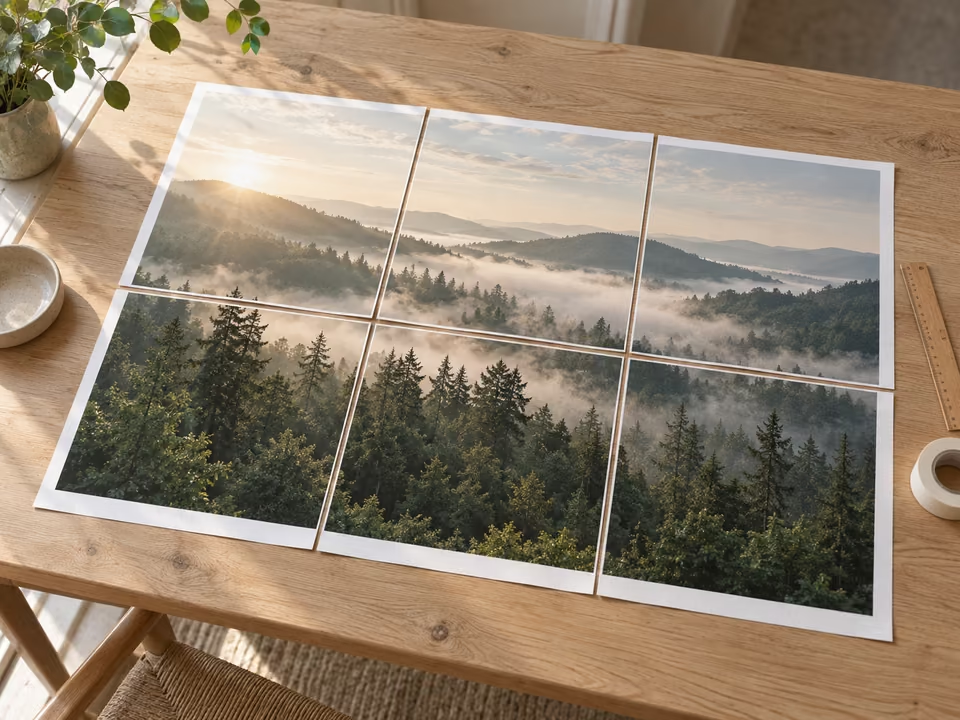
Give a favorite photograph a place beyond your screen. Plan a larger poster using the printer you already have, then download the separate pages in a PDF, ready to trim and assemble into one picture.
Choose A4 or US Letter paper in portrait or landscape orientation.
Set margins, overlap and optional assembly marks for your print.
Download a multi-page PDF and print a test page at actual size.
Choose an image, select a preset or enter custom rows and columns, then generate the tiles. A 3 × 3 grid creates nine files; a 2 × 2 grid creates four. Download each piece or all pieces in a ZIP.
Does splitting an image reduce its quality?
+
The equal-parts splitter uses the original image pixels. Choose PNG for a lossless export. JPG and WebP re-encode the tiles using the selected quality. Social media modes can crop or resize to the chosen tile dimensions.
Are my images uploaded to a server?
+
No. The image tools read and process your selected file inside your browser. Your image is not sent to an image-processing server. Closing the page clears the working image from memory.
Which image formats can I split?
+
Open JPG, PNG, WebP, AVIF, GIF, and other image formats your browser can decode. Download PNG for lossless graphics and transparency, or JPG and WebP for compressed photos. Animated inputs export as a still frame.
Can I download all the split images at once?
+
Yes. Generate your tiles, download individual pieces, or save the complete set in a ZIP file. Tiles have numbered filenames so you can keep their order.
Is the photo splitter free and without a watermark?
+
Yes. All of the image splitting tools work without an account, payment, or added watermark. You keep the rights to your original image.